

Shortcodes
WP-ImmoMakler ships with a set of shortcodes that let you embed property elements on any WordPress page, in text content, and in widgets. Shortcodes are the simplest way to insert these elements without using a page builder or modifying your theme.
Shortcode naming convention
Section titled “Shortcode naming convention”All WP-ImmoMakler shortcodes use hyphens (e.g. [immomakler-archive]) – not underscores. Variants such as [immomakler_archive] or [immomakler_search_form] will not be recognised.
![Shortcode block in the block editor with the content [immomakler-archive]](/_astro/gutenberg-shortcode-block-immomakler-archive.C63h_WW1_Z1RpDcq.webp)
Lists and filters
Section titled “Lists and filters”Property list
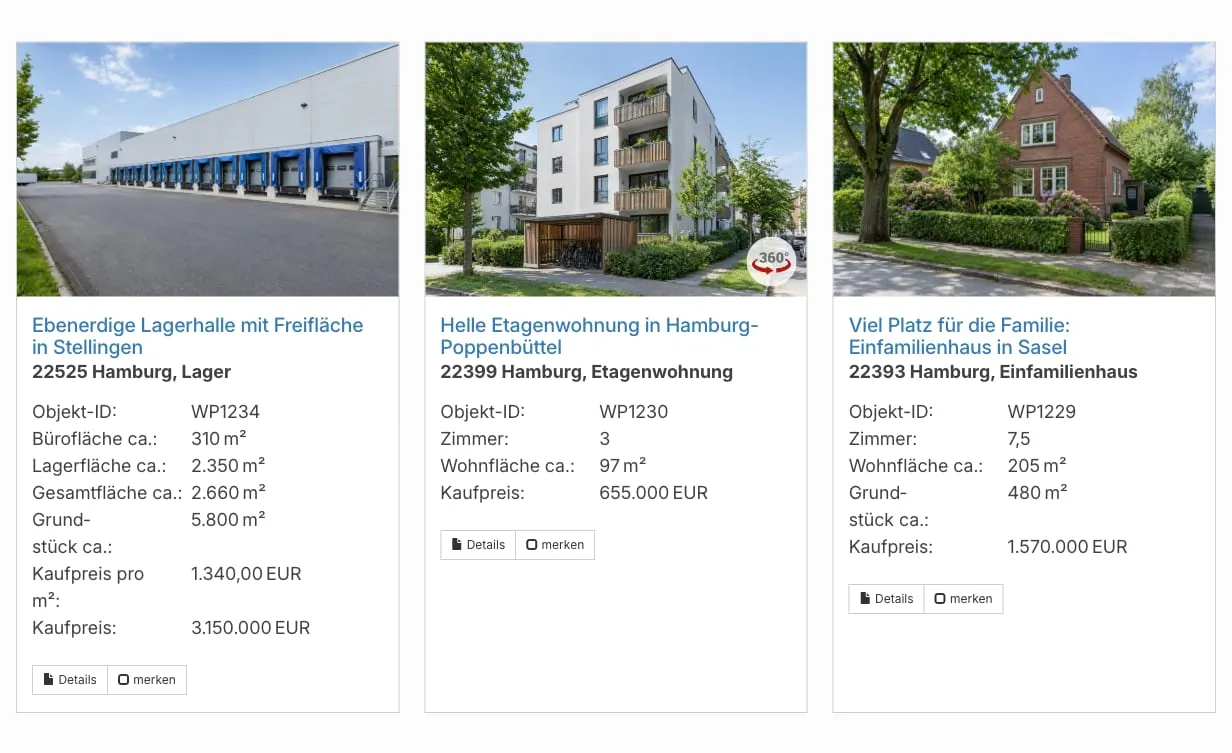
Section titled “Property list”[immomakler-archive][immomakler-archive vermarktungsart=kauf posts_per_page=6 columns=3][immomakler-archive projekt=BAUFELD-A columns=2][immomakler-archive idprefix=2026- limit=10 loadmore=10]Renders a property list at any location. Accepts all WP_Query parameters as attributes, plus a few additional display parameters.
| Attribute | Description | Default |
|---|---|---|
columns | Maximum number of columns in the list; fewer properties are shown side by side on narrower screens | Value from list settings |
vertical | 1 forces a vertical layout, 0 disables it | List setting |
boxed | 1 wraps the items in a box | List setting |
limit / posts_per_page | Maximum number of properties shown | -1 (no limit) |
loadmore | Number of properties loaded by the “Load more” button | 0 (button off) |
projekt | Project identifier of a development project – matches units with this value. The value that matters is the project identifier derived on import from gruppen_kennung or gruppennummer (see Grouping field for project assignment) | – |
idprefix | Filters property IDs starting with the given prefix | – |
show_orderby | 1 shows the sort selector above the list | 0 |
use_order | Initial sort key (e.g. kaufpreis-asc) | – |
post__in | Comma-separated list of WordPress post IDs | – |
You can also use any standard WP_Query parameter such as meta_key, meta_value, orderby, order, tax_query_objektart, and so on. For examples see Similar properties and Embedding reference properties.
Search form
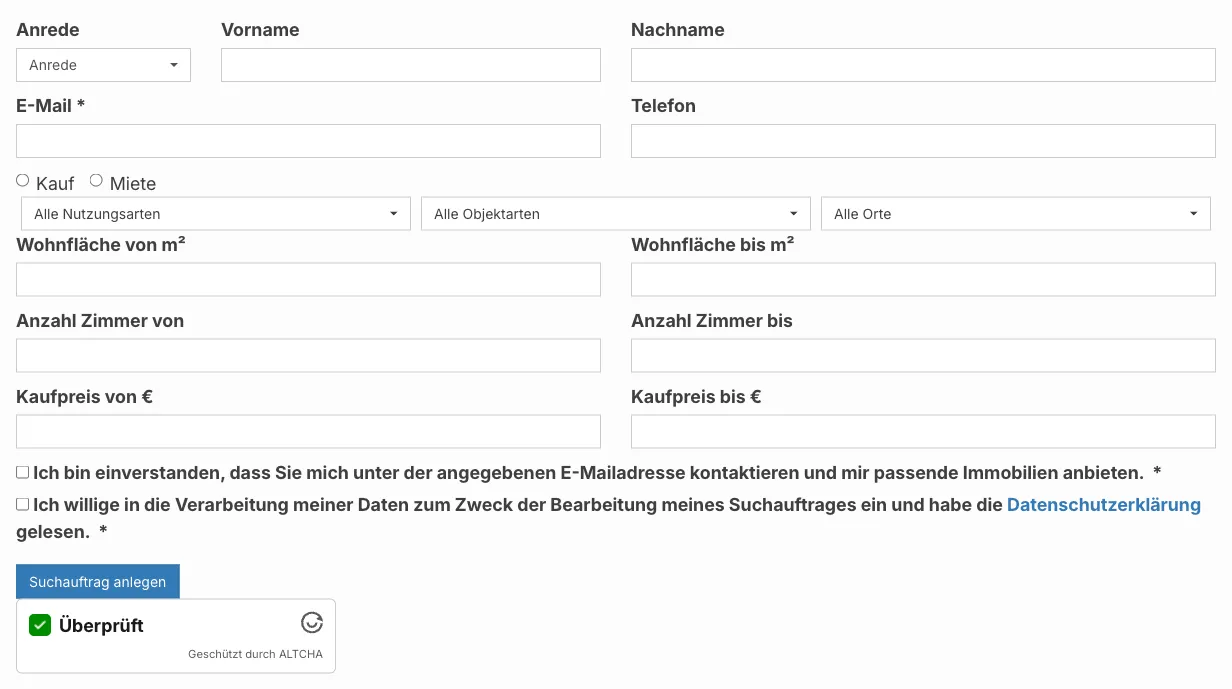
Section titled “Search form”[immomakler-search-form][immomakler-search-form columns=4]Embeds the search form anywhere, for example in a sidebar or on the home page.
| Attribute | Description | Default |
|---|---|---|
columns | Number of columns in the search form | Search form setting |

If you are looking for ways to customise the list view — for example to add a text block between the search form and the property list — please contact our support team.
Search by property ID
Section titled “Search by property ID”[immomakler-search-for-id]Renders a small input field that lets visitors search directly by property ID. After submission, the visitor is redirected to the matching property’s detail page.
Displaying residential and commercial units
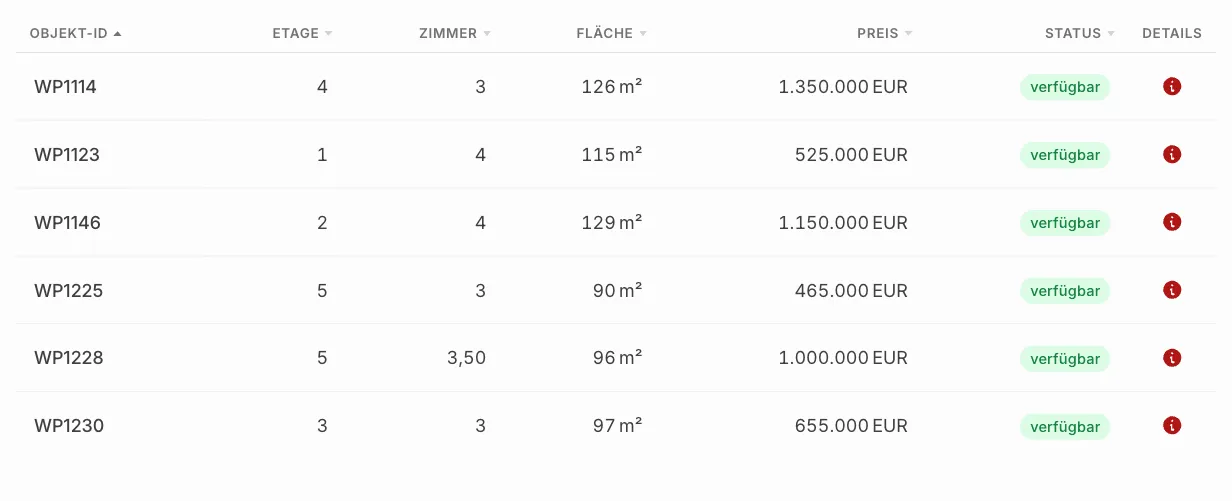
Section titled “Displaying residential and commercial units”[immomakler-project-units project=BAUFELD-A]Renders a sortable, responsive table of all units (flats, offices, etc.) belonging to a development project. The units can be displayed either as a table or in the familiar list view.
This shortcode is intended for manually built project pages — standalone WordPress pages or landing pages with a custom layout that are not generated by the WP-ImmoMakler project detail view. Specify the desired project using the project identifier (BAUFELD-A is a placeholder here). The value that matters is the project identifier that WP-ImmoMakler derived on import — by default the value from gruppen_kennung, otherwise from gruppennummer. Which field is used is controlled under Settings: Projects.
On the project detail page generated by WP-ImmoMakler, the table is already embedded automatically below the project data — you do not need the shortcode there.
By default, the entire table row is clickable and opens the detail page of the respective unit. Columns for which no value has been entered (e.g. etage in a ground-level project) are automatically hidden — the column list in the settings is therefore the maximum selection, not the guaranteed display.
| Attribute | Description | Default |
|---|---|---|
project | Project identifier of the units — the value derived on import from gruppen_kennung or gruppennummer (see Grouping field for project assignment) | Required |
meta_key | Override the matching mode: gruppen_kennung (default, matches the project identifier) or objektnr_extern_prefix (matches units whose property ID begins with that of the project) | Value from settings |
columns | Comma-separated list of columns (meta keys), e.g. objektnr_extern,etage,anzahl_zimmer,flaeche,preis | Value from settings |
sortable | 1/0 – client-side sorting | 1 |
link_row | 1/0 – link the entire row | Setting (default: 1) |
link_id | 1/0 – link only the property ID | Setting |
show_status | 1/0 – add the status / availability column | Setting |
show_details | 1/0 – add an info-icon column on the right | Setting |
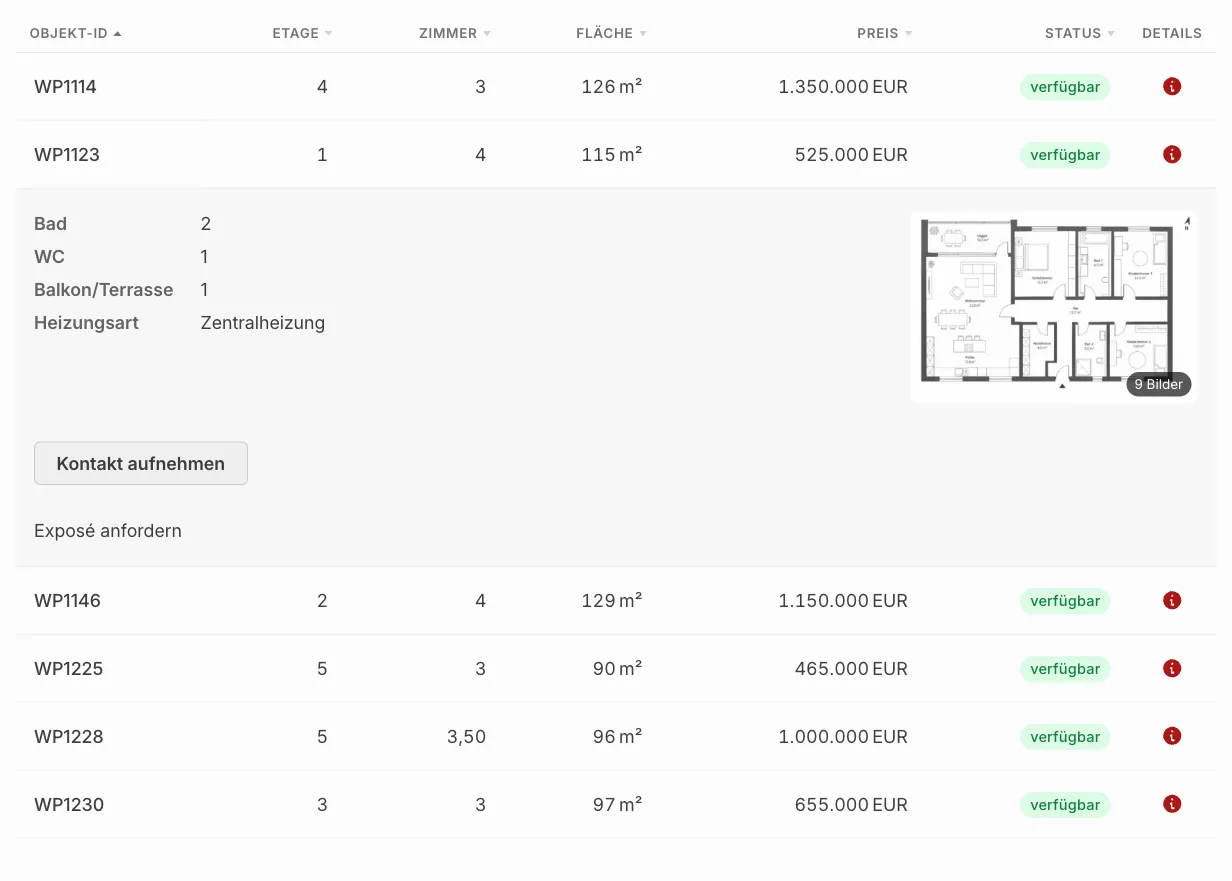
expandable | 1/0 – expandable detail rows (accordion) instead of row links | Setting (default: 0) |
cover_source | title_image (cover image) or floorplan (floor plan) – preview image in the detail panel of expandable rows | Setting (default: floorplan) |
contact | 1/0 – “Get in touch” button in the expandable detail panel that opens the contact form for that unit | Setting (default: 1) |
default_sort | Column the table is pre-sorted by when it loads (e.g. etage, preis, flaeche) | Setting (default: objektnr_extern) |
default_sort_order | asc (ascending) or desc (descending) – direction of the pre-sort | Setting (default: asc) |
Default sort order: You set which column the table is pre-sorted by, and in which direction, globally in your website’s admin area (wp-admin) under WP-ImmoMakler → Settings → Projects via the “Default sort: column” and “Default sort: direction” options; per embedding, you can override this with the default_sort and default_sort_order attributes. Visitors can then re-sort any column by clicking its heading. The floor column is sorted sensibly (ground floor before 1st floor before 2nd floor before top floor), not purely alphabetically. Units with no value in the sort column are placed at the end in both directions.
Available column keys: objektnr_extern, objekttitel, etage, anzahl_zimmer, flaeche (living/usable/commercial area depending on property type), wohnflaeche, nutzflaeche, gesamtflaeche, preis, kaufpreis, kaltmiete, warmmiete, status. Any other meta keys are also supported. Empty columns — those for which no unit provides a value — are automatically removed; the objektnr_extern and details columns are always preserved, as they serve as row anchors and info-icon links even without their own text content.
Expandable detail rows (Accordion): Enable the “Expandable detail rows” option in your website’s admin area (wp-admin) under WP-ImmoMakler → Settings → Projects. Clicking on a table row then opens a detail panel directly below it showing bathroom, WC, balcony/terrace, heating type, and a preview image; clicking on the image opens the full image gallery (photos and floor plans). Use the “Preview image in detail panel” option to choose between the first floor plan (default, with fallback to the cover image if none is available) and the cover image (first photo). Detail content is only loaded when a row is expanded, so even projects with many units load quickly. When detail rows are enabled, the “Entire table row clickable” option has no effect — the unit’s detail page remains accessible via the details column or the linked property ID.
Configuring data fields in the detail panel: The fields that appear in the expandable detail panel are defined — in the same way as the table columns — via the “Data fields in the detail panel” setting as a comma-separated list (default: anzahl_badezimmer,anzahl_sep_wc,balkon_terrasse,heizungsart). The special fields balkon_terrasse (combined count of balconies/terraces) and heizungsart (list of heating types) are rendered specially; any other key is treated as a property meta field and formatted exactly like a table column (e.g. wohnflaeche, anzahl_zimmer, baujahr). Fields with no value are automatically hidden.
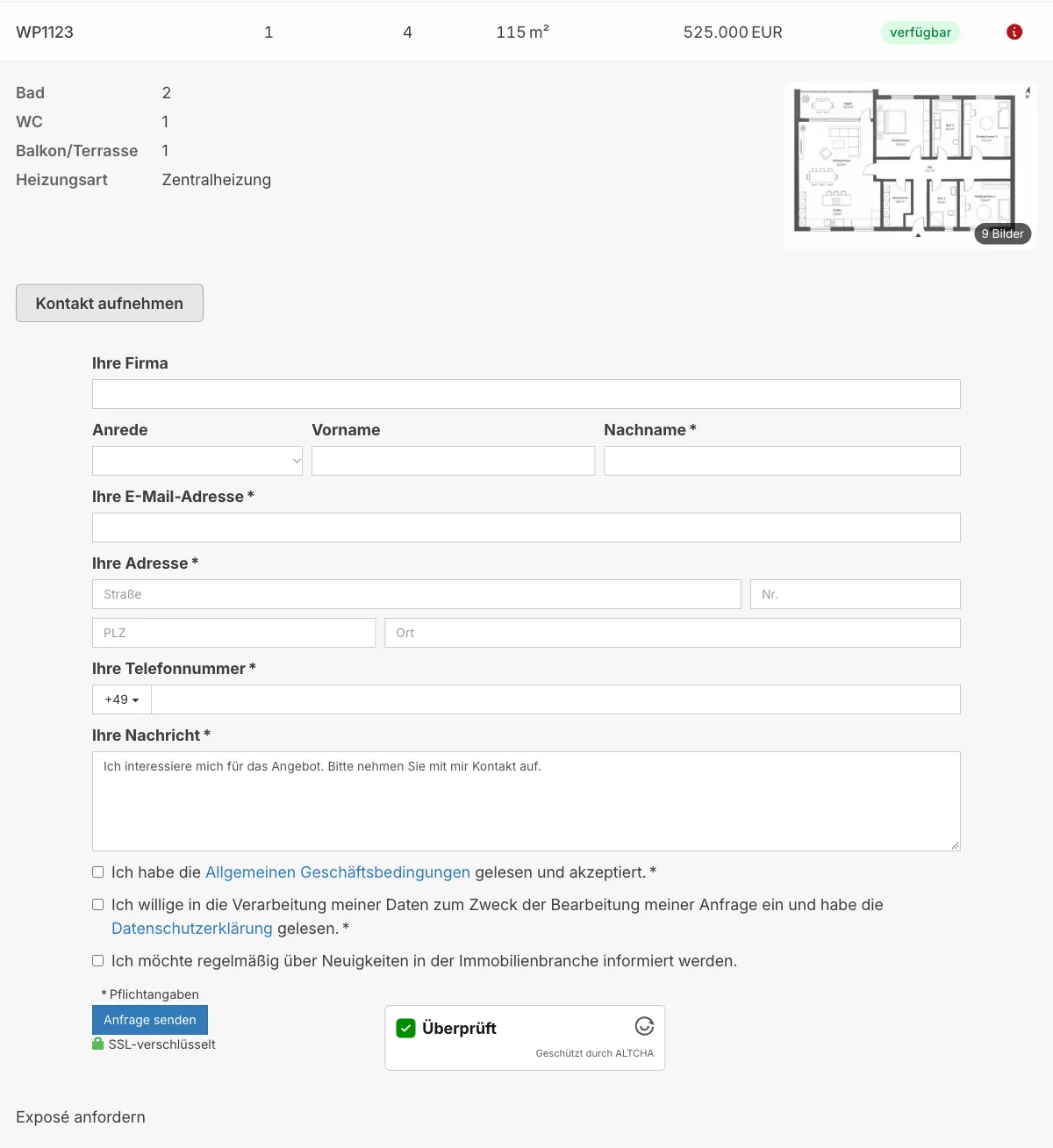
Contact form in the detail panel: When detail rows are enabled, each expanded detail panel shows a “Get in touch” button by default. Clicking it opens the WP-ImmoMakler contact form for that exact unit directly below the panel — an enquiry is sent to the unit’s assigned contact person, without visitors having to leave the project page. The feature is enabled by default; you can turn it off in your website’s admin area (wp-admin) under WP-ImmoMakler → Settings → Projects via the “Contact form in the detail panel” option, or per embedding via the contact="0" attribute. The button only appears for units that also show a contact form on the unit’s own detail page (status “available”; for “reserved” it depends on the corresponding setting).
Extending: The info icon in the details column can be replaced with custom SVG markup via the immomakler_project_units_details_icon filter. You can customise the label of the contact button in the detail panel via the immomakler_project_units_contact_button_label filter.
Property alerts
Section titled “Property alerts”Compact property alert form
Section titled “Compact property alert form”[immomakler-searchagents-form]Renders a compact property alert form with the most important fields. Output is restricted to WP-ImmoMakler archive pages.
Full property alert form
Section titled “Full property alert form”[immomakler-searchagents-form-full]Renders the full property alert form with all available fields. Works on any page.
Edit form
Section titled “Edit form”[immomakler-searchagents-edit]An alias for the full form, intended for the page that the edit link in property alert emails points to.
For details on which fields the form contains and how to configure them in the backend, see Configure saved searches.
Google Map
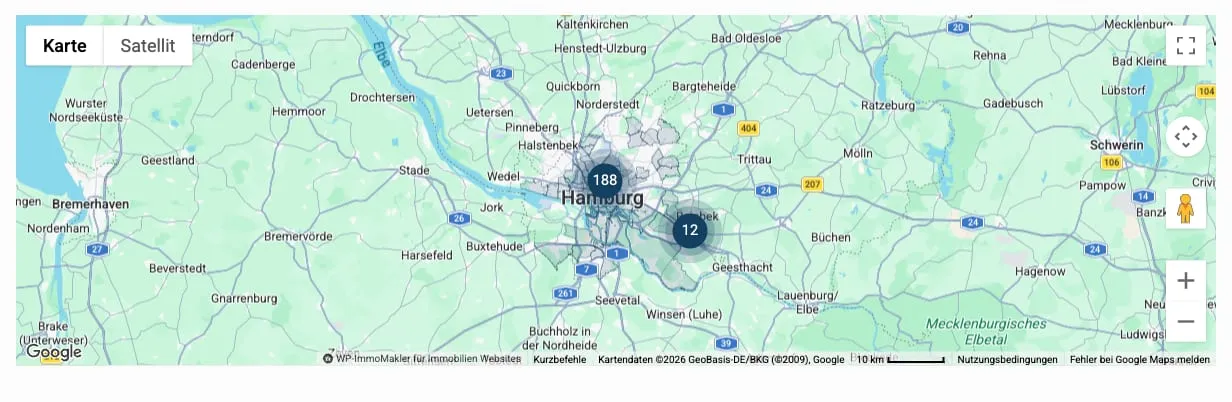
Section titled “Google Map”[immomakler-map][immomakler-map vermarktungsart=miete posts_per_page=200][immomakler-map post__in=123,456,789]Displays a Google Maps map with the properties matching the current filter. On a list page without attributes, the shortcode automatically uses the active filter.
Accepts the same WP_Query attributes as [immomakler-archive]. posts_per_page is capped at 1000.
Carousel
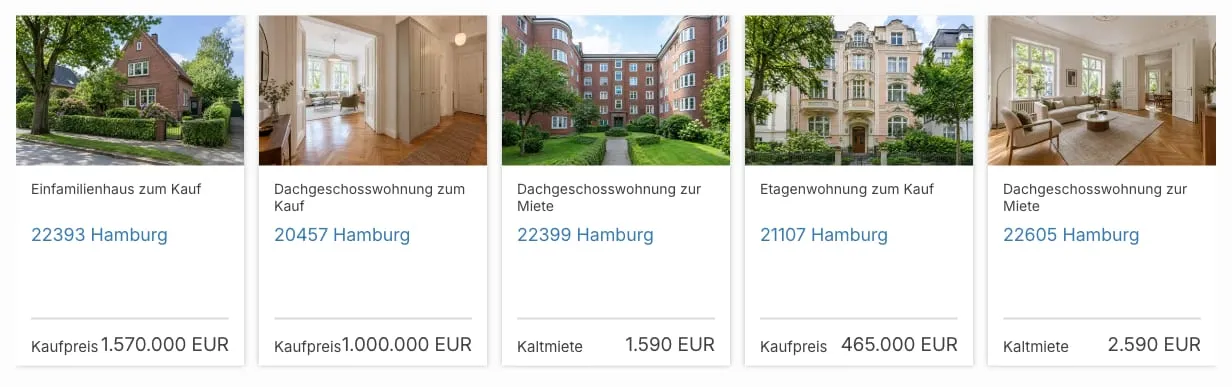
Section titled “Carousel”[immomakler-carousel][immomakler-carousel vermarktungsart=kauf limit=12][immomakler-carousel status=topobjekt][immomakler-carousel projekt=BAUFELD-A]Displays selected properties as a carousel. Configurable via the WP-ImmoMakler settings. Accepts the same filter attributes as [immomakler-archive].
For more details see Setting up the Carousel.
Watchlist indicator
Section titled “Watchlist indicator”[immomakler-cart-indicator]Renders a button with a counter showing the number of saved properties. Suitable for menus, headers, or sidebars. Requires the watchlist to be enabled; details: Setting up the watchlist.
Contact form
Section titled “Contact form”[immomakler-contact][immomakler-contact recipient="info@example.com" subject="Landing page enquiry"][immomakler-contact propertyid=12345]Renders a standalone contact form whose recipient and subject you can override per embedding. Suitable for landing pages or contact pages.
| Attribute | Description | Default |
|---|---|---|
recipient | Recipient email address | Global recipient setting |
subject | Email subject line | Default subject |
propertyid | WordPress post ID of the property the enquiry refers to | – |
For information on configuring the fields, required fields, and GDPR notices, see Contact Form.
Page builder templates
Section titled “Page builder templates”For use inside page builder templates (Elementor, Divi, Bricks, Oxygen, WPBakery), WP-ImmoMakler provides additional shortcodes such as [immomakler-template-archive], [immomakler-single], [immomakler-template-single-gallery], [immomakler-template-single-map], [immomakler-template-single-videos], [immomakler-template-single-downloads-links], and [immomakler-template-single-contact]. These are not intended for regular pages — they are used exclusively in the template settings of your page builder. Most page builders provide dedicated widgets for the same purpose; see Elementor Pro and the other page builder articles.
Embedding shortcodes in pages
Section titled “Embedding shortcodes in pages”Open any WordPress page in the editor and insert the desired shortcode. In the Gutenberg editor, use the Shortcode block.
In PHP templates or in your WP-ImmoMakler Child-Skin-Plugin, you can output shortcodes via do_shortcode():
echo do_shortcode( '[immomakler-archive vermarktungsart=kauf posts_per_page=3]' );