

Customising Contact Details
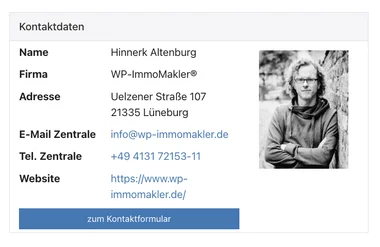
On every property detail page, WP-ImmoMakler shows a contact box with the details of the responsible contact person. These details are transferred automatically from your estate agent software. In the Customiser you decide whether the box appears at all, which individual fields it shows, whether a contact photo is displayed and in which format telephone numbers are presented.
Where to find these settings
Section titled “Where to find these settings”All settings described in this article are located in the back end of your website (wp-admin) under Appearance → Customiser → WP-ImmoMakler → Property Detail View.
Showing or hiding the contact box
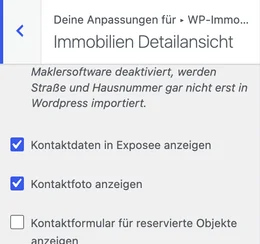
Section titled “Showing or hiding the contact box”The option Show Contact details in the Exposé (default: enabled) shows or hides the entire contact box on the detail page.
Which fields appear
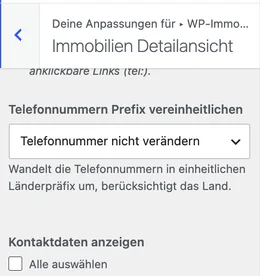
Section titled “Which fields appear”The multiple-choice list Show contact details determines which individual contact fields may appear in the box — for example name, company, address, e-mail, telephone, fax, mobile or website. A “Select all” checkbox enables or disables every field at once.
A field enabled here only actually appears in the contact box if the property in question also carries a value for it from your estate agent software. If no fax number is stored, for instance, the “Fax” line stays invisible even with the field enabled. Name, position, company, address, e-mail and telephone fields as well as the website are among those enabled by default.
The To the contact form button at the end of the box appears automatically as soon as a contact form is available, and leads to the contact form further down the same page — it cannot be switched on or off separately. For properties marked as “reserved”, you control its visibility through the option Show contact form for reserved properties.
Contact photo
Section titled “Contact photo”The option Show contact photo (default: enabled) shows or hides the contact person’s photo next to the contact details. The photo itself is usually transferred automatically from your estate agent software; how to upload or replace it manually is described in the article Adding a contact person photo.
Standardising the telephone number format
Section titled “Standardising the telephone number format”If different contact persons supply their telephone numbers in different notations (e.g. +49 …, 0049 … or 0…), you can use Standardise telephone number prefix to set a uniform format for the entire website.
The selection offers two groups of modes. The Country prefix only modes replace nothing but the country dialling code and leave the rest of the number untouched — slashes, spaces and brackets stay exactly as your estate agent software delivers them. The DIN 5008 modes regroup the whole number according to that standard: country code, area code and subscriber number are each separated by a single space, and an extension is appended with a hyphen.
All examples show what becomes of the source number 0451/12 244 56-10:
| Option | Result |
|---|---|
| Do not change the telephone number | 0451/12 244 56-10 |
Country prefix only: +49 451/1224456-10 | +49 451/12 244 56-10 |
Country prefix only: 0049 451/1224456-10 | 0049 451/12 244 56-10 |
Country prefix only: 0451/1224456-10 | 0451/12 244 56-10 |
DIN 5008: +49 451 1224456-10 | +49 451 1224456-10 |
DIN 5008: 0049 451 1224456-10 | 0049 451 1224456-10 |
DIN 5008: 0451 1224456-10 | 0451 1224456-10 |
In both groups the decisive factor is the main country you have set in the back end of your website (wp-admin) under WP-ImmoMakler → Settings. Numbers carrying another country’s dialling code are left unchanged, so that a foreign number is not wrongly rewritten to the main country.
The DIN 5008 modes additionally recognise the extension at the end of the number and append it with a hyphen — regardless of how your estate agent software writes it: 04511224456-10 and +49 451 1224456 - 10 both result in +49 451 1224456-10. Values that are not a valid telephone number (such as On request) are left unchanged in every mode.
Clickable telephone numbers
Section titled “Clickable telephone numbers”The telephone numbers in the contact box are also dial links (tel:). As soon as you enable one of the six modes, the dial link receives the country dialling code as well — in the internationally valid notation with a plus sign, even when the visible number is displayed nationally. The stored number 04511224456-10 therefore becomes the link tel:+49451122445610.
This matters for visitors calling from abroad: a number with a leading zero cannot be dialled from there. With Do not change the telephone number, the dial link stays unchanged.