

Infinite Scrolling
With infinite scrolling, new properties load automatically as soon as the visitor reaches the end of the page — similar to popular e-commerce platforms. This feature is available starting with the PLUS license. You can upgrade at any time and only pay the difference. If you are interested in an upgrade, please contact our Support.

Enabling Infinite Scrolling
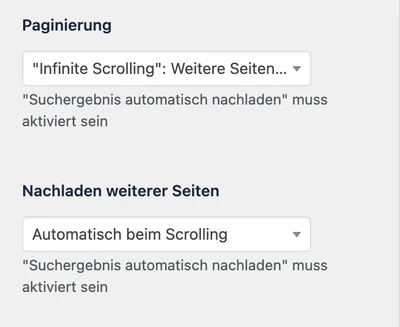
Section titled “Enabling Infinite Scrolling”Navigate to WordPress Backend > WP-ImmoMakler > Customizer > Search. Scroll down to the “Pagination” section and enable infinite scrolling there.
Alternative: Loading via Button Click
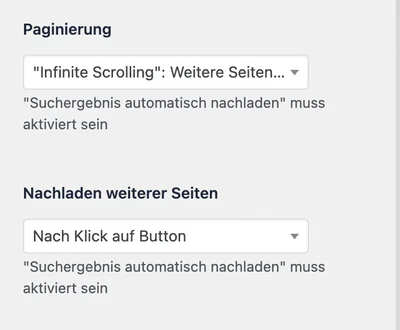
Section titled “Alternative: Loading via Button Click”Instead of automatic loading, you can also enable the “Load more properties via button click” option. Visitors then load new properties manually by clicking a button.

Number of Properties per Page
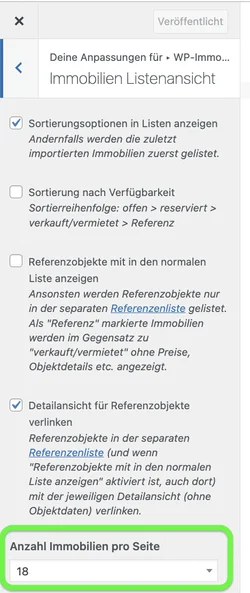
Section titled “Number of Properties per Page”For infinite scrolling to work, the number of properties per page must be set to a finite value. Navigate in the Customizer to WP-ImmoMakler > Search > Number of properties per page and enter a specific number.
If the value is set to “unlimited”, all properties are loaded at once and infinite scrolling will not take effect.
Infinite Scrolling for Reference Properties
Section titled “Infinite Scrolling for Reference Properties”The reference list also loads further references this way, using the number of properties per page configured here. This applies even on reference list pages that show no search form.