

Videos Block
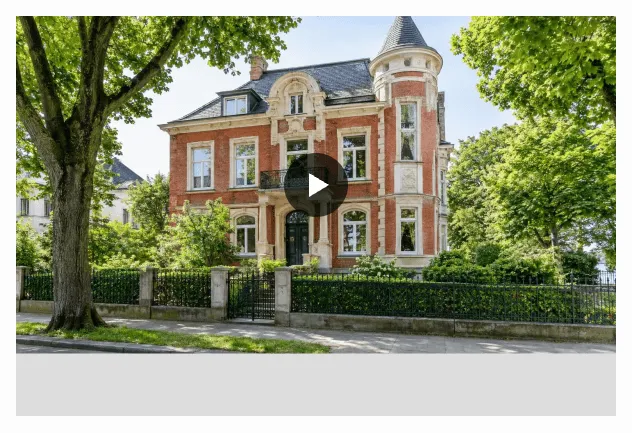
With the Videos Gutenberg block (immomakler/single-videos) you output all videos of a property: YouTube and Vimeo links as well as video files from your CRM software. The videos appear as described under Property Videos — as a preview image with a play button, with a lightbox and a consent prompt.
Requirements
Section titled “Requirements”- WordPress with the Gutenberg editor
- WP-ImmoMakler (any edition)
- A property in context: Place the block in a Site Editor template for the Property post type or on a template page — see Create Single Page.
- At least one video on the property. For properties without a video, the block does not appear on the frontend, and neither does an optional heading.
Inserting the block
Section titled “Inserting the block”-
Open a template or template page
Open the template for the Property post type in the Site Editor (requires a block theme) or the template page on which the detail view of your properties is built.
-
Insert the block
Click the + icon and search for Videos, or navigate to the Widgets category. Insert the block.
-
Adjust the display
In the sidebar under Videos, choose the aspect ratio and, if needed, a corner radius. Under Heading you can show a heading of your own above the videos.
-
Save
In the editor, the block shows the videos of the preview property. If it has no videos, you see a notice instead. In that case, choose a preview property with a video to check the display.
Options
Section titled “Options”| Panel | Option | Default | Description |
|---|---|---|---|
| Videos | Aspect ratio | 3:2 | 16:9, 3:2, or 4:3 (landscape format) or 1:1 (square). |
| Videos | Corner radius | 0 | Rounds off the corners of the videos, in px, %, em, or rem. With “Alle Seiten gleich” switched off, you set each corner individually. |
| Heading | Show heading | No | Outputs a heading above the videos. |
| Heading | Text | Videos | Text of the heading. |
| Heading | “HTML-Element” | H2 | Heading level H1 to H6, matching the structure of your page. |
| Heading | “Schriftgröße (px)” / “Schriftgewicht” / “Schriftfarbe” | Theme default | Font size, font weight, and font color of the heading. |
| Heading | “Abstand zum Video (px)” | Theme default | Spacing between the heading and the first video. |
You can also set the colors, typography, and spacing of the whole block in the Design tab.
You might also be interested in
Section titled “You might also be interested in”- Property Videos — supported formats, lightbox, consent prompt, and preview images
- Virtual Tours — embed a property’s 360° tours
- Gallery — output a property’s image gallery
- Create Single Page — build the detail view in the Site Editor or on a template page