

Neighbourhood Map Block
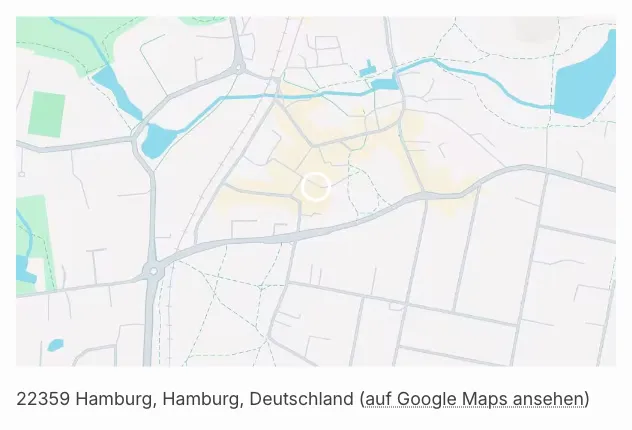
With the Property surroundings map Gutenberg block (immomakler/single-map) you embed the map of a property directly in block templates or any pages. The block matches the functionality and output of the Elementor widget of the same name, “Property surroundings map”.
Requirements
Section titled “Requirements”- WordPress with the Gutenberg editor (WordPress 5.0 or later)
- WP-ImmoMakler (any edition)
- A map provider must be selected in the Customizer under WP-ImmoMakler → Maps. If no map can be drawn with it, the Google Maps Embed map steps in, provided it’s enabled as a fallback
- The property must have an address or geocoordinates stored
Inserting the block
Section titled “Inserting the block”-
Edit a property or open a template
Open an existing property in the editor or a block-based template for the Property post type (requires a block theme or the Site Editor).
-
Insert the block
Click the + icon and search for Neighbourhood Map, or navigate to the Widgets category. Insert the block.
-
Check the preview
A live preview using the data of an existing sample property is displayed in the editor. The map appears including the configured consent functionality. On the actual property page, the map of the respective property is shown.
Configuring the map height
Section titled “Configuring the map height”In the block panel Appearance you set the height of the map:
| Setting | Description |
|---|---|
| Unit | Unit for the map height: px, %, vh or vw. Default: px. |
| Map height | Height of the map in the selected unit. Default: 350 px. |
Available ranges by unit:
| Unit | Minimum | Maximum |
|---|---|---|
| px | 100 | 1200 |
| % | 10 | 100 |
| vh | 10 | 100 |
| vw | 10 | 100 |
The configured height is applied as scoped inline CSS to the map container selectors .immomakler-map-iframe, .immomakler-map-iframe iframe.map and iframe.immomakler-map-iframe.
CSS classes for custom styling
Section titled “CSS classes for custom styling”For further customisation you can add your own CSS rules in your theme:
/* Block wrapper */.wp-block-immomakler-single-map .immomakler-single-map { }
/* Map container (iframe or JS API div) */.immomakler-map-iframe { }
/* Embedded iframe element */.immomakler-map-iframe iframe.map { }