

Contact Form Block
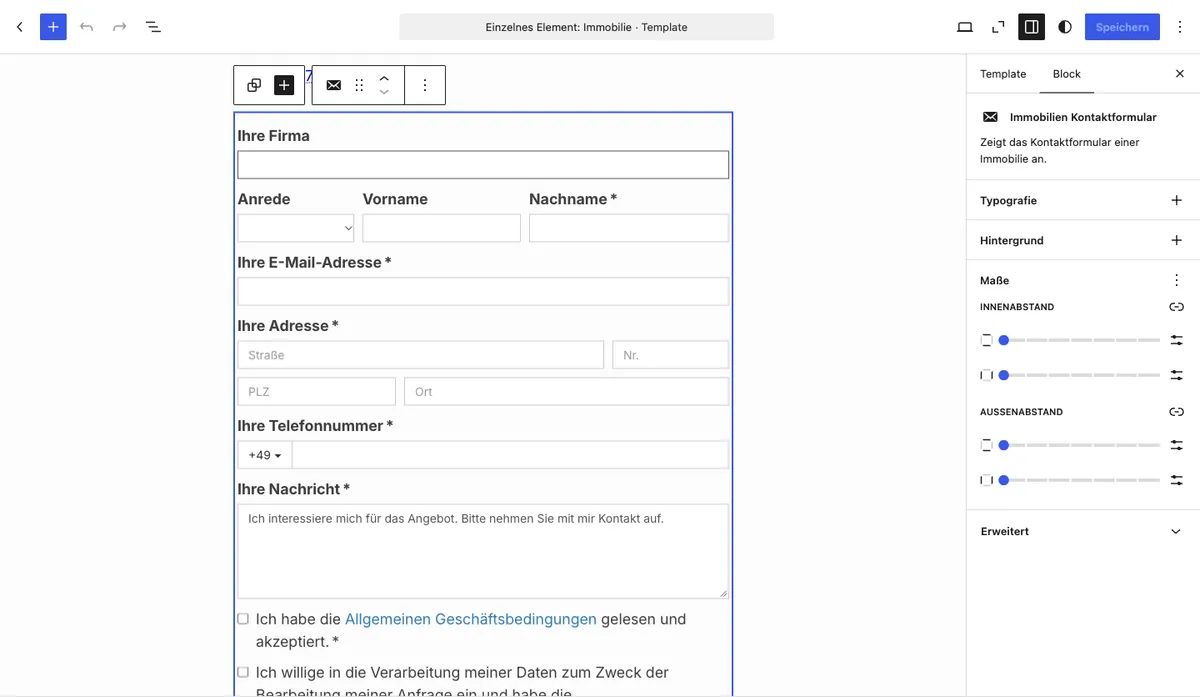
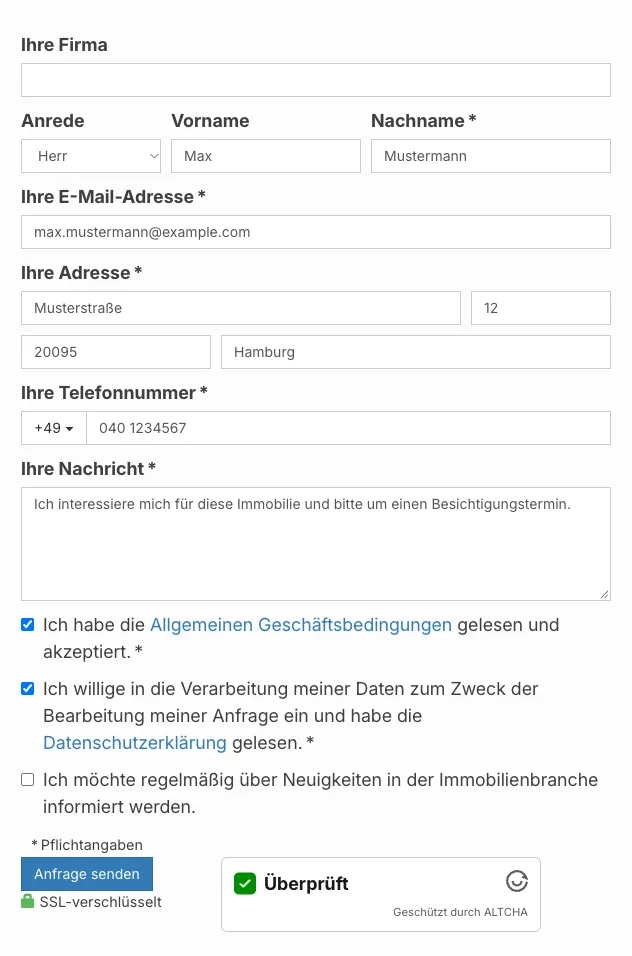
With the Contact Form Gutenberg block you output the WP-ImmoMakler contact form directly in the block editor. The block has no field settings of its own — fields, required fields, privacy policy links, and all other options are managed centrally in your website’s backend (wp-admin) under WP-ImmoMakler → Settings → Contact Form.
Requirements
Section titled “Requirements”- WordPress with the Gutenberg editor (WordPress 5.0 or later)
- WP-ImmoMakler (any edition)
Inserting the block
Section titled “Inserting the block”-
Edit a property or create a template
Open a property in the editor or create a block-based template for the Property post type.
-
Insert the block
Click the + icon and search for Contact Form. The block is located in the Widgets category.
-
Save and publish
Save or update the page. The contact form is now visible on the frontend.
Configuring form fields
Section titled “Configuring form fields”Which fields are displayed and which are marked as required is configured in your website’s backend (wp-admin) under WP-ImmoMakler → Settings → Contact Form. The following fields are available:
| Field | Description |
|---|---|
| Company | Company name of the enquirer |
| Salutation | Selection field (Mr / Mrs) |
| First name | First name of the enquirer |
| Last name | Last name of the enquirer (default: required) |
| Email address | Email address for the reply (default: required) |
| Address | Street, house number, postcode, and city of the enquirer |
| Phone number | Phone number including country code dropdown (default: required) |
| Message | Free-text field for the enquiry (default: required) |
| Terms and conditions checkbox | Consent to the general terms and conditions |
| Privacy policy checkbox | Consent to data processing |
| Cancellation policy checkbox | Confirmation of the right of withdrawal |
| Commission checkbox | Consent to the commission notice |
| Custom checkbox | Freely configurable consent |
| Viewing appointment | Optional note that a viewing appointment is requested |
You might also be interested in
Section titled “You might also be interested in”- Contact Details — Output the contact details of a property contact person as a definition list
- Property Data — Output key data of a property as a definition list
- Create Single Page — Embed the property detail view with the Gutenberg block
- Gutenberg Blocks: Overview — All available WP-ImmoMakler Gutenberg blocks at a glance