

Watchlist
The watchlist allows visitors to your website to save interesting properties and retrieve them later as a collection. The saved properties are stored in a browser cookie and can be accessed via a dedicated URL. The watchlist is available starting with the PLUS license. You can upgrade at any time and only pay the difference. If you are interested in an upgrade, please contact our Support.
Activating the Watchlist
Section titled “Activating the Watchlist”Navigate to WordPress Backend > WP-ImmoMakler > Settings > Watchlist and enable the “Activate watchlist” option. A “Save” button will then appear next to each property in both the list view and detail view.
Settings
Section titled “Settings”In the backend of your website (wp-admin) → WP-ImmoMakler → Settings → Watchlist, the following options are available:
| Option | Description |
|---|---|
| Activate watchlist | Displays the save button in archive and expose views |
| Save button only for available properties | Hides the button for references and sold/rented properties |
| Activate “Share watchlist” | Adds a copyable link above the watchlist that can be shared via email or social media |
| Contact form below the watchlist | Displays a combined contact form for inquiring about all saved properties |
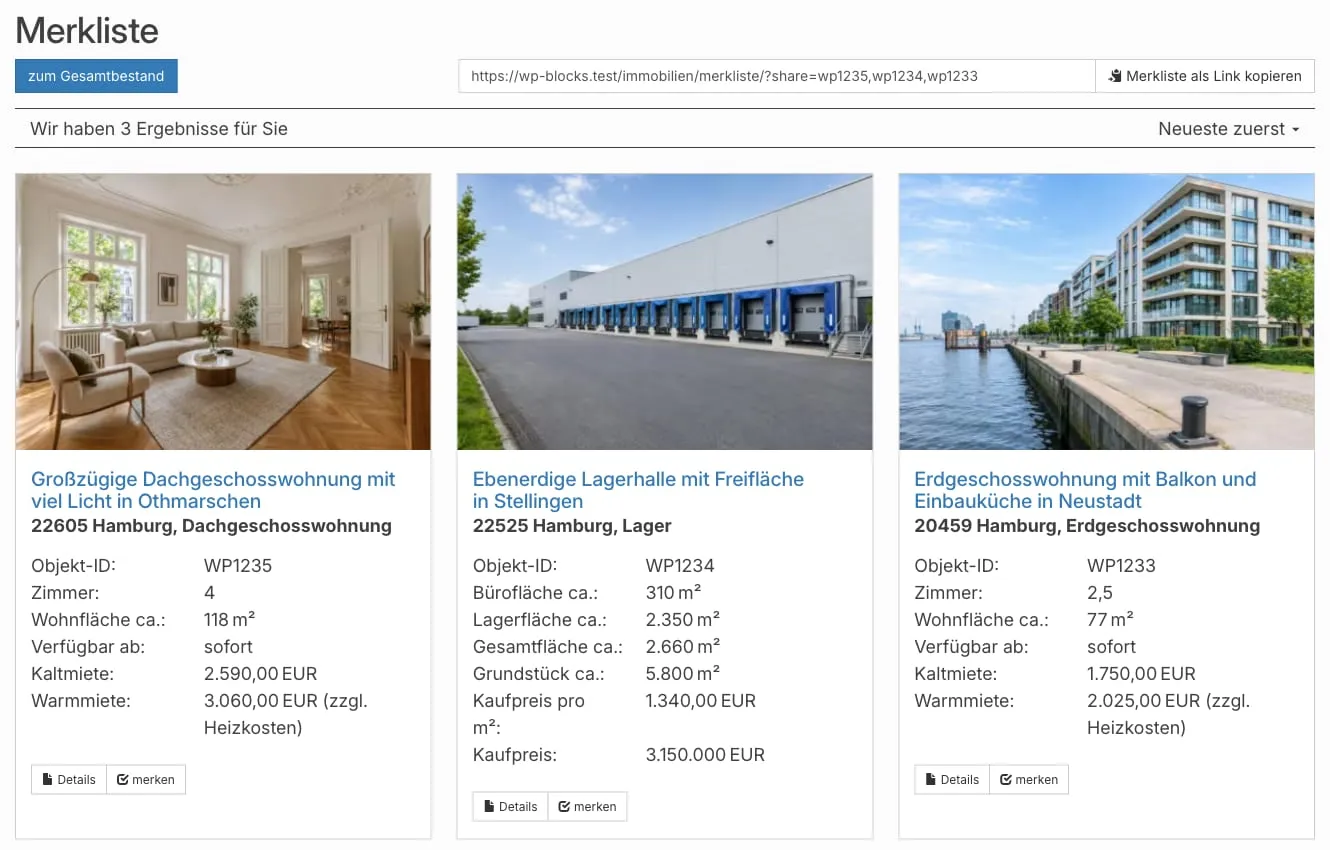
Watchlist Page
Section titled “Watchlist Page”The watchlist is automatically accessible at the following URL (the exact path depends on your configured property slug):
/immobilien/merkliste/You can also test the watchlist on our demo site.
Watchlist Indicator in the Navigation
Section titled “Watchlist Indicator in the Navigation”To display a watchlist button with a counter in the menu or elsewhere, use the shortcode:
[immomakler-cart-indicator]The shortcode renders a button with a badge showing the current number of saved properties. The count is updated on each page load via the REST API.
Sharing the Watchlist
Section titled “Sharing the Watchlist”When the “Share watchlist” option is enabled, an input field with a copyable link appears above the watchlist. This link contains all currently saved property IDs as parameters and can be shared with others, who can then view the same selection of properties — without their own cookie.
Customizing the Button Label
Section titled “Customizing the Button Label”The default label “merken” can be customized via a filter in the WP-ImmoMakler Child-Skin-Plugin’s functions.php:
add_filter( 'immomakler_cart_add_to_cart', function() { return 'auf Merkliste';} );Customizing Icon Classes
Section titled “Customizing Icon Classes”The icons of the save button (active/inactive) use Bootstrap Glyphicons and can be changed via filters. Please add the following filters to the functions.php of your WP-ImmoMakler Child-Skin-Plugin:
add_filter( 'immomakler_cart_checked_class', function() { return 'glyphicon-heart';} );add_filter( 'immomakler_cart_unchecked_class', function() { return 'glyphicon-heart-empty';} );WP-ImmoMakler ships with these glyphicons: glyphicon-heart, glyphicon-heart-empty, glyphicon-star, glyphicon-star-empty, glyphicon-bookmark, glyphicon-check, glyphicon-unchecked, glyphicon-ok, glyphicon-link, and glyphicon-file. For a different glyphicon, enable the “Vollständiges Bootstrap CSS und vollständige glyphicons verwenden” option, see Settings: Display.