

Embedding Property Videos in WordPress (YouTube, Vimeo, MP4)
Property videos are among the most effective media on a property website: they give prospective buyers and tenants a realistic impression and increase dwell time. WP-ImmoMakler automatically displays videos in a dedicated “Videos” section of the property detail view on your WordPress website once they are associated with a property. No manual configuration is required.
How Videos Reach Your Properties
Section titled “How Videos Reach Your Properties”Videos are taken over automatically from your real estate software during import:
- Video links: Links to YouTube or Vimeo videos transferred as an OpenImmo attachment (e.g. attachment group
FILMLINK). WP-ImmoMakler also recognises YouTube and Vimeo URLs when they are transferred as an ordinary link – such links appear in the Videos section instead of the link list. - Video files: Video files delivered as an OpenImmo attachment are imported into the WordPress media library and assigned to the property.
Supported Formats
Section titled “Supported Formats”- YouTube links – all common URL forms, including short links (
youtu.be) and YouTube Shorts - Vimeo links – including vanity URLs such as
vimeo.com/yourname/propertyvideo - Video files: mp4, m4v, webm, ogv, wmv, flv
Video files in other formats are not played but offered as a download link in the Videos section.
Display as a Preview Image with Lightbox
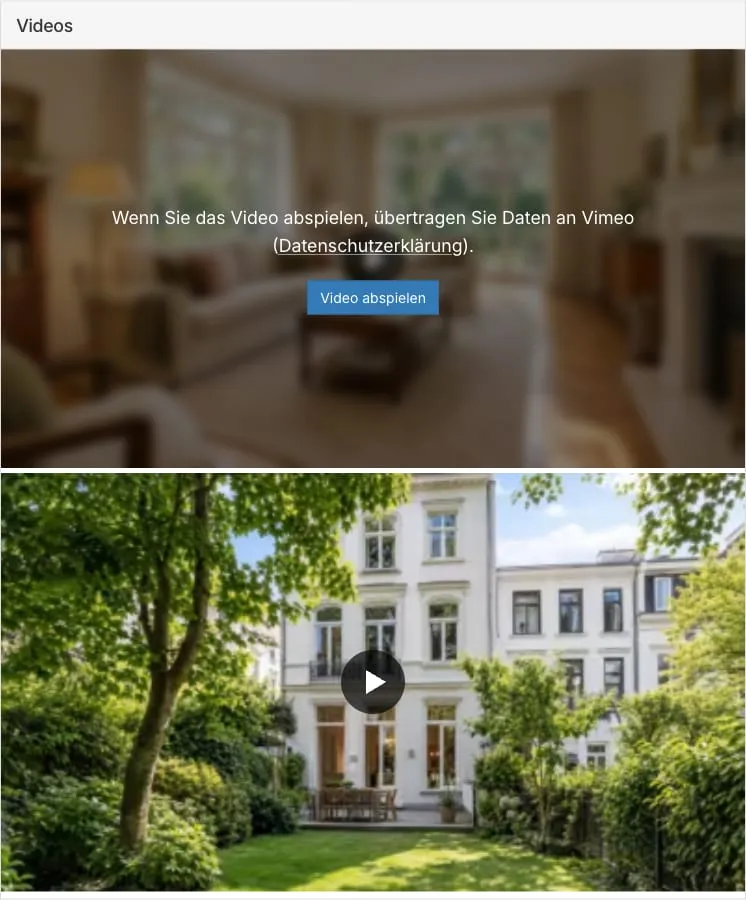
Section titled “Display as a Preview Image with Lightbox”Videos are displayed as a preview image with a play button. The video is only played in a full-size lightbox after a click. This speeds up page rendering, as no video players are embedded while the page loads.
The preview images are cached server-side and delivered from your own website. If no preview image can be determined, WP-ImmoMakler displays a neutral placeholder tile with a play button.
Preview Images for Uploaded Video Files
Section titled “Preview Images for Uploaded Video Files”YouTube and Vimeo supply a preview image with every video. Video files from your real estate software (e.g. MP4) do not come with one – WP-ImmoMakler therefore automatically generates one from the video itself. The image is taken from a point shortly after the start, so that a fade-in effect or title card does not appear as the preview.
Where the image is generated depends on your server:
- If the ffmpeg program is installed on your server, WP-ImmoMakler generates the preview image there directly. It is then ready shortly after the first page view.
- Otherwise, it is generated in the browser of website visitors and then saved on your server. In this case it may take a few visits before the preview image appears: to prevent anyone from substituting an arbitrary image, it is only accepted once two independent visitors deliver the same image.
In both cases, the finished preview image is cached on your server and delivered from your own website; no data is transferred to third parties. Until a preview image is available, the tile shows the neutral placeholder.
Loading Speed, Core Web Vitals and SEO
Section titled “Loading Speed, Core Web Vitals and SEO”The preview image display not only improves privacy, but also the search engine optimisation of your property website. Loading speed is a Google ranking factor via Core Web Vitals – image-heavy property detail pages in particular benefit from no video players taking part in page rendering:
- No embedded players during page rendering: YouTube and Vimeo embeds load significant amounts of JavaScript from third-party servers. With the lightbox, this only happens once a visitor actually starts a video.
- Modern image formats in the right size: WP-ImmoMakler delivers the preview images as AVIF or WebP – smaller than JPEG at the same quality. They are also generated in multiple sizes and delivered responsively via
srcset, so mobile devices load a suitably small variant instead of the full-resolution preview image. - No layout shifts: The video tiles reserve their dimensions while loading, avoiding layout shifts (Cumulative Layout Shift).
- Fewer third-party requests: Before consent is given, the browser does not establish any connections to YouTube or Vimeo.
Videos in Structured Data (schema.org) PLUS
Section titled “Videos in Structured Data (schema.org) ”In addition to the display, WP-ImmoMakler also describes every video of a property as a VideoObject in the JSON-LD of the detail view – with title, preview image, upload date, and, where available, duration. This lets search engines and AI assistants recognise that a property has a video. Which values are output in detail is described in Schema.org Structured Data.
The entry does not load the video and does not change the consent prompt: the video still only loads after your visitors give consent. You can disable the entry in the backend of your website (wp-admin) under WP-ImmoMakler → Settings → SEO/AEO/GEO with the “schema.org/VideoObject” option.
GDPR: Consent Prompt for YouTube and Vimeo
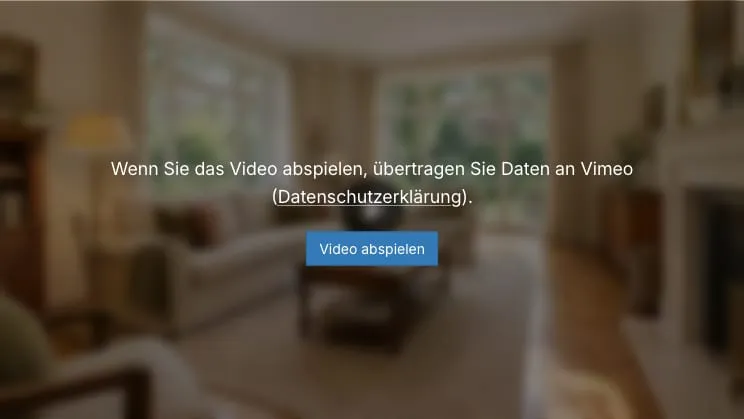
Section titled “GDPR: Consent Prompt for YouTube and Vimeo”For YouTube and Vimeo videos, WP-ImmoMakler obtains the website visitor’s consent before playback. The preview image shows a notice with a link to the respective provider’s privacy policy and a “Play video” button. The video is only loaded and played after this button is clicked.
- As with the Google Maps consent box, the consent is stored per service (YouTube or Vimeo) in the browser’s local storage (similar to a cookie) and applies to all further videos of the same service on your website. If a consent plugin is active on your website, from version 5.69.0 onward that plugin handles the prompt instead — see Working with Consent Plugins.
- Before consent is given, the visitor’s browser does not transfer any data to YouTube or Vimeo. The preview images also come from your own website, not from the video providers’ servers.
- After consent, YouTube videos are played in the privacy-enhanced youtube-nocookie mode.
You can find more information on embedding external services in a GDPR-compliant way under GDPR-Compliant Cookie Consent.
Disabling the Consent Prompt
Section titled “Disabling the Consent Prompt”If a consent plugin is active on your website, you usually don’t need to disable anything: WP-ImmoMakler automatically defers to its consent, and your visitors are only asked once – see Working with Consent Plugins.
If you’d rather have your consent plugin block YouTube and Vimeo itself, two settings are available:
- Disable only the prompt: In the backend of your website (wp-admin) under WP-ImmoMakler → Integrations → Privacy, set the “Consent for embedded content” option to “No prompt from WP-ImmoMakler”. Preview images and the lightbox stay intact; the player loads on click without a prompt from WP-ImmoMakler. This setting also applies to virtual tours and maps.
- Disable the lightbox and the prompt: In the backend of your website (wp-admin) under WP-ImmoMakler → Settings → Display, disable the “Videos as thumbnail with lightbox and consent query” option. Videos are then embedded directly into the page, as in earlier versions. This setting affects only videos.
Placing Videos with Page Builders
Section titled “Placing Videos with Page Builders”In custom layouts, place the Videos section with the “Videos” widget or element that WP-ImmoMakler provides for Elementor, Divi, Bricks and WPBakery. Alternatively, the shortcode [immomakler-template-single-videos] is available in all page builder templates – see Shortcodes.
Vimeo Player in Your Website Colours
Section titled “Vimeo Player in Your Website Colours”If you have enabled colour customisation in the WordPress Customizer under WP-ImmoMakler → Colors, the Vimeo player automatically adopts the configured link colour for its controls.
Videos in the PDF Exposé PLUS
Section titled “Videos in the PDF Exposé ”The PDF exposé automatically includes a section with the property’s videos after the property photos and floor plans. Each entry shows the video’s preview image along with a QR code – both link directly to the video. Anyone reading the printed exposé simply scans the QR code with their smartphone; in the digital PDF, a click on the preview image is enough.
Video Icon in the List View
Section titled “Video Icon in the List View”Optionally, a video icon can be displayed on the preview image in the list view, showing visitors at a glance which properties have a video — similar to the icon for virtual tours. Contact WP-ImmoMakler support for this extension.
Frequently Asked Questions
Section titled “Frequently Asked Questions”How do I embed a YouTube video in a GDPR-compliant way in WordPress?
Section titled “How do I embed a YouTube video in a GDPR-compliant way in WordPress?”WP-ImmoMakler first shows only a locally stored preview image and obtains visitors’ consent before playback. Only then does the video load – in the privacy-enhanced youtube-nocookie mode. Before consent, no data flows to YouTube or Vimeo.
Do I need to add videos to my properties manually?
Section titled “Do I need to add videos to my properties manually?”No. Video links and video files are transferred automatically from your real estate software during import (e.g. as an OpenImmo attachment) and appear in the Videos section of the detail view. Additional videos can be added via code using the immomakler_video_links filter.
Which video formats and platforms are supported?
Section titled “Which video formats and platforms are supported?”YouTube (including Shorts and short links), Vimeo (including vanity URLs), as well as video files in the formats mp4, m4v, webm, ogv, wmv and flv. Other file formats are offered as a download link.
Why does my uploaded video file not show a preview image yet?
Section titled “Why does my uploaded video file not show a preview image yet?”For video files, WP-ImmoMakler generates the preview image from the video itself. If ffmpeg is installed on your server, this happens shortly after the first page view. Otherwise, the image is generated in visitors’ browsers, and it is only accepted once two independent visitors have delivered the same image – so on a freshly imported property this can take a little while. If you don’t want to wait, assign a featured image to the video file in the media library; this appears immediately and always takes precedence.
Do embedded videos slow down my property website?
Section titled “Do embedded videos slow down my property website?”Not with the lightbox display: only an optimised preview image from your own website loads during page rendering. The video player with its JavaScript only loads once a visitor actually starts the video.