

Similar Properties
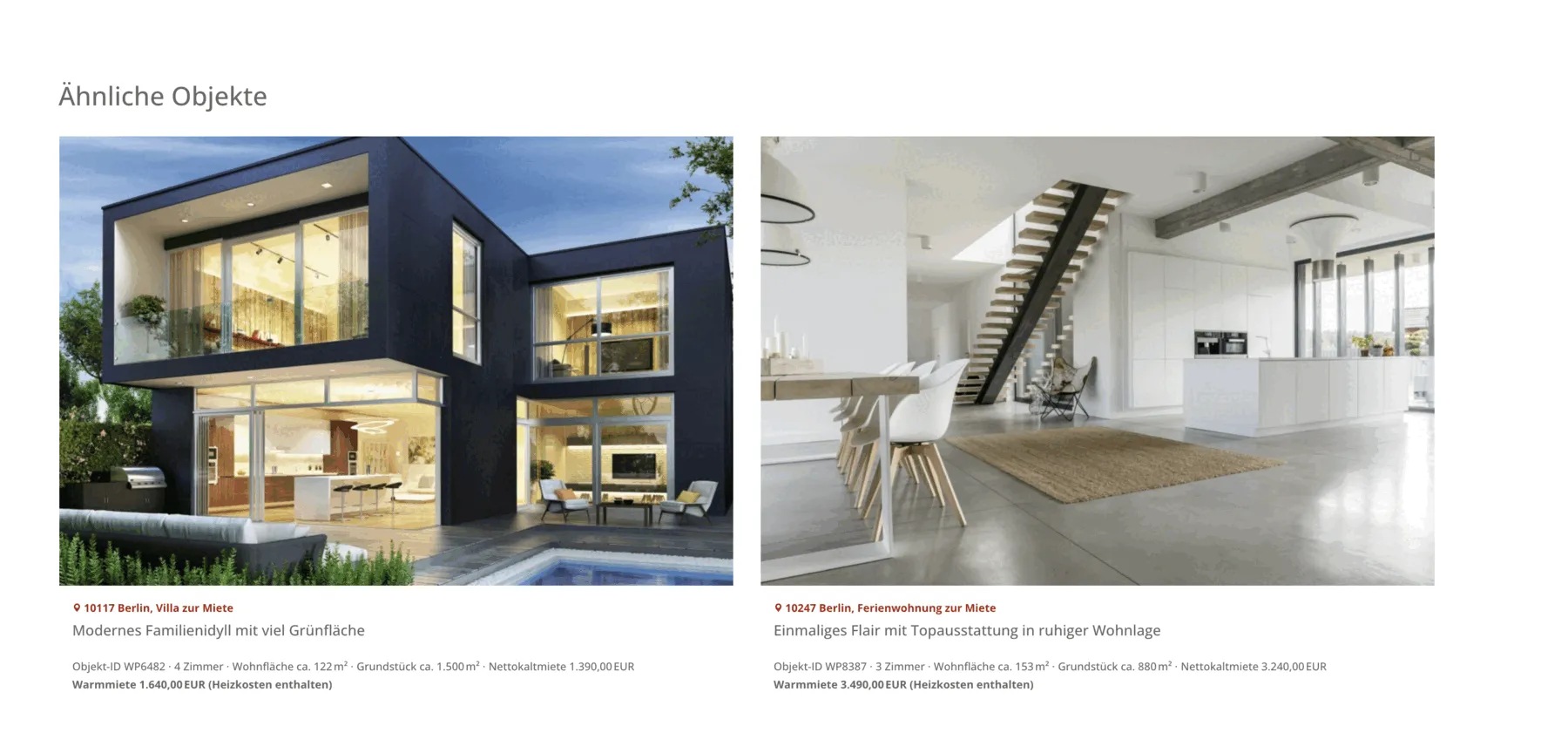
Below the detail view of a property, WP-ImmoMakler automatically displays a block of similar properties — same property type, same marketing type (buy/rent), and proximity in location. If not enough sufficiently similar properties are found, the filtering is progressively relaxed (first location, then property type) until matching properties are found, or — if your website contains only a single property — the block remains hidden entirely.
Enabling and Configuring the Feature
Section titled “Enabling and Configuring the Feature”The feature is active by default. You control visibility and count in the WordPress Customizer under WP-ImmoMakler → Property Detail View:
| Setting | Description |
|---|---|
| Show similar properties in the detail view | Turns the block on or off completely. |
| Number of similar properties | How many properties are displayed (1 to 4); also determines the maximum number of columns. On narrower screens, fewer properties are shown side by side, according to the minimum width from the list view settings. |
Full option reference: Customising the detail view.
Displaying with Elementor Pro
Section titled “Displaying with Elementor Pro”PLUS Instead of the automatic block, you can also embed similar properties in a custom Loop Grid or Posts widget of your own design. WP-ImmoMakler provides the query ID immomakler_similar_properties for this: enter this value in the widget under Advanced > Query ID, and the query automatically filters properties with the same property type, the same marketing type, and proximity to the current location — with the same progressive relaxation as the automatic block. The property currently displayed is always excluded. Layout, number of columns, number of properties, sorting, and additional taxonomy filters remain entirely up to you — you design the widget cards freely.
For the step-by-step guide, see Showing related properties.
Displaying with Divi 5
Section titled “Displaying with Divi 5”PLUS The native Similar Properties module is available for the Divi 5 Theme Builder. Add it to your single template like any other WP-ImmoMakler module via the module picker — no shortcode is needed. Set the number of properties displayed (1 to 4) directly in the module under Content > Settings.
For the step-by-step guide, see Divi 5: Creating Archive and Single Templates.
Custom Display via Shortcode
Section titled “Custom Display via Shortcode”If you need different selection logic than the built-in one (e.g., by features instead of by property type), you can disable the built-in option and instead embed the [immomakler-archive] shortcode PLUS yourself via the immomakler_after_single hook. The shortcode accepts all WP_Query parameters as attributes.
add_action( 'immomakler_after_single', function() { echo '<h2>Ähnliche Objekte</h2>'; echo do_shortcode( '[immomakler-archive vermarktungsart=kauf posts_per_page=3]' );} );Place this code in the functions.php of your WP-ImmoMakler Child-Skin-Plugin.
Available Shortcode Attributes
Section titled “Available Shortcode Attributes”The most important filter attributes for [immomakler-archive]:
| Attribute | Example Value | Description |
|---|---|---|
vermarktungsart | kauf, miete | Marketing type |
typ | haus, wohnung | Property type |
nutzungsart | wohnen, gewerbe | Usage type |
status | referenz | Property status |
posts_per_page | 3 | Number of properties |
columns | 3 | Maximum number of columns; fewer on narrower screens |
Displaying Properties of the Same Type
Section titled “Displaying Properties of the Same Type”To automatically show properties of the same type in the detail view, you can read the property type of the current entry and pass it as a filter. Please add the following action to your WP-ImmoMakler Child-Skin-Plugin:
add_action( 'immomakler_after_single', function() { global $post; $objektart = get_post_meta( $post->ID, 'objektart', true ); if ( $objektart ) { echo '<h2>Weitere ' . esc_html( $objektart ) . 'en</h2>'; echo do_shortcode( '[immomakler-archive tax_query_objektart="' . esc_attr( $objektart ) . '" posts_per_page=3]' ); }} );Additional Hooks for the Detail View
Section titled “Additional Hooks for the Detail View”In addition to immomakler_after_single, the following action hooks are available:
immomakler_before_single— Before the entire detail viewimmomakler_after_single_details— After the property detail fields, but still within the content areaimmomakler_single_property_actions— In the action buttons area (e.g., next to the details button)