

Property Website with ChatGPT, Claude, Gemini or Cursor: Connect an Existing One or Program a New One
PLUS The coding tools of ChatGPT (Codex), Claude (Claude Code) and Gemini (Gemini CLI), and the Cursor editor, write a website as source code in a project on your computer or in a Git repository. Unlike the AI website builders such as Lovable or Base44, you decide yourself which framework the website is built with and where it runs. WP-ImmoMakler supplies the properties from your CRM software, for example from Propstack, onOffice, FlowFact, JustImmo or ImmobilienScout24 (ImmoScout24), to this website through its REST API and accepts its contact enquiries.
Connecting an Existing Project
Section titled “Connecting an Existing Project”If you have already created your website with Codex, Claude Code, Gemini CLI or Cursor, usually only the connection to your properties is missing. Give the coding tool in your project the following prompt. It replaces the sample data with the properties from WP-ImmoMakler, connects the contact form and leaves the framework, design and structure unchanged. Replace https://your-wordpress-address.com with the address of your WordPress website.
My website already shows properties, but still with sample data. Connect it to the WP-ImmoMakler property API, which is described here:https://your-wordpress-address.com/wp-json/immomakler-headless/v1/llms-full.txtRead this description completely first.
The design, layout and components of my website stay unchanged. Replace only the data source. If a property list or detail page is missing, create it in the style of the existing pages.
Property list:- Load the properties via GET /search with fields=summary instead of from the sample data.- Paginate using page and total_pages from the response instead of loading all properties at once.- If my website has filters (property type, marketing type, location, price, rooms, area), build them from GET /site (search.taxonomies, search.ranges, search.orders) and pass them to /search as search parameters. Restore the state of the filters from "applied" in the response and keep it in the URL so that a filtered list stays linkable.- Show a loading state, an error message and a notice when no property matches.
Detail page:- Use the normalised object number (object_number_normalized) in the URL of the detail page and load the property with it via GET /properties/{object_number_normalized}. Never use post_id as an identifier, it changes with every import.- Link from the list to the path from links.frontend_url and align the route of the detail page with it.- If the API responds with 404, show a dedicated "Property not found" page.
Contact form:- If my website has a contact form, connect it to POST /enquiries: with the fields and consents from site.forms.enquiry, a token that the form fetches via GET /spam/token when it is displayed, and the object number (object_number) of the property under "properties".- Show the errors from data.errors of the response on the affected fields.
Displaying data:- Replace every field of the sample data with the matching field of the API. Show numbers, prices and areas with "label" and "value" from the API, do not format "raw" yourself.- Show the data fields in the order in which the API delivers them (fields.property, fields.areas, fields.prices, fields.epass, in the list archive and archive_prices), and leave out fields that a property does not have. Do not invent values and do not keep sample data as a substitute.- Images from media.featured and media.images, each in the matching size from "sizes", with the alternative text from "alt".- Description texts from descriptions as HTML.- Address from address. If geo.exact is false, show an area instead of a point on the map.- Contact person from contact.- Page title and meta description from seo, the structured data from json_ld as <script type="application/ld+json">.
Afterwards, remove the sample data from the project.
If your project generates its pages at build time, set up the webhook afterwards so that it is rebuilt after every transfer from your CRM software. Also adjust “Path of a property” and “Path of the property list” in the headless settings to the addresses of your website.
Free Choice of Framework
Section titled “Free Choice of Framework”The WP-ImmoMakler REST API does not require any particular framework. Have your website built with the framework that you or your agency know, for example:
- Astro, on which our Astro starter is based
- Next.js (React)
- Nuxt (Vue)
- SvelteKit (Svelte)
- Eleventy or Hugo as pure generators for static pages
- no framework at all, with HTML, CSS and JavaScript
For search engines, the framework does not matter; what matters is where the property pages are created. If they are generated at build time or on the server, every page already contains its title, meta description and structured data in the delivered HTML, and search engines and AI search services read it without JavaScript. If a page only loads the property in the browser, some crawlers, including those of some AI search services, see an empty page. Without a framework, you create the pages with a small script that writes them from the interface at build time.
If your website generates the pages at build time, it has to be rebuilt after every transfer from your CRM software so that new and changed properties appear. The webhook of WP-ImmoMakler reports which properties have changed and can trigger the build; what this looks like at Cloudflare is described under Running the front end at Cloudflare. A website that generates its pages on the server on every request reads the current data with each request anyway.
Astro Starter on Request
Section titled “Astro Starter on Request”If you like working with Astro, you do not have to start from scratch: the Astro starter from WP-ImmoMakler is a ready-made Astro website that already makes full use of the REST API and that you keep customising with your coding tool. It is an offer, not a requirement: with any other framework you use the same interface. The demo of the Astro starter shows what it looks like.
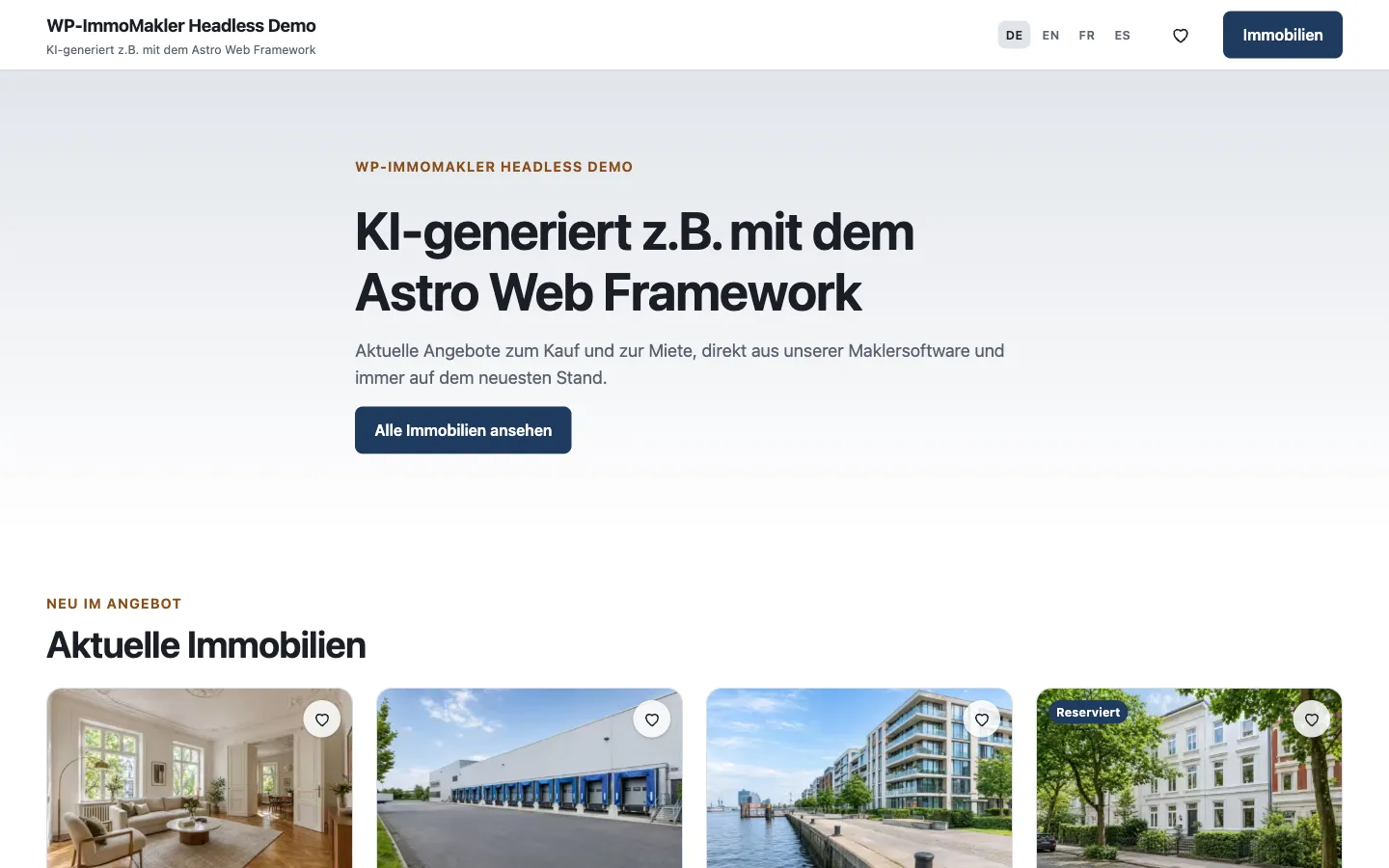
The Astro starter includes:
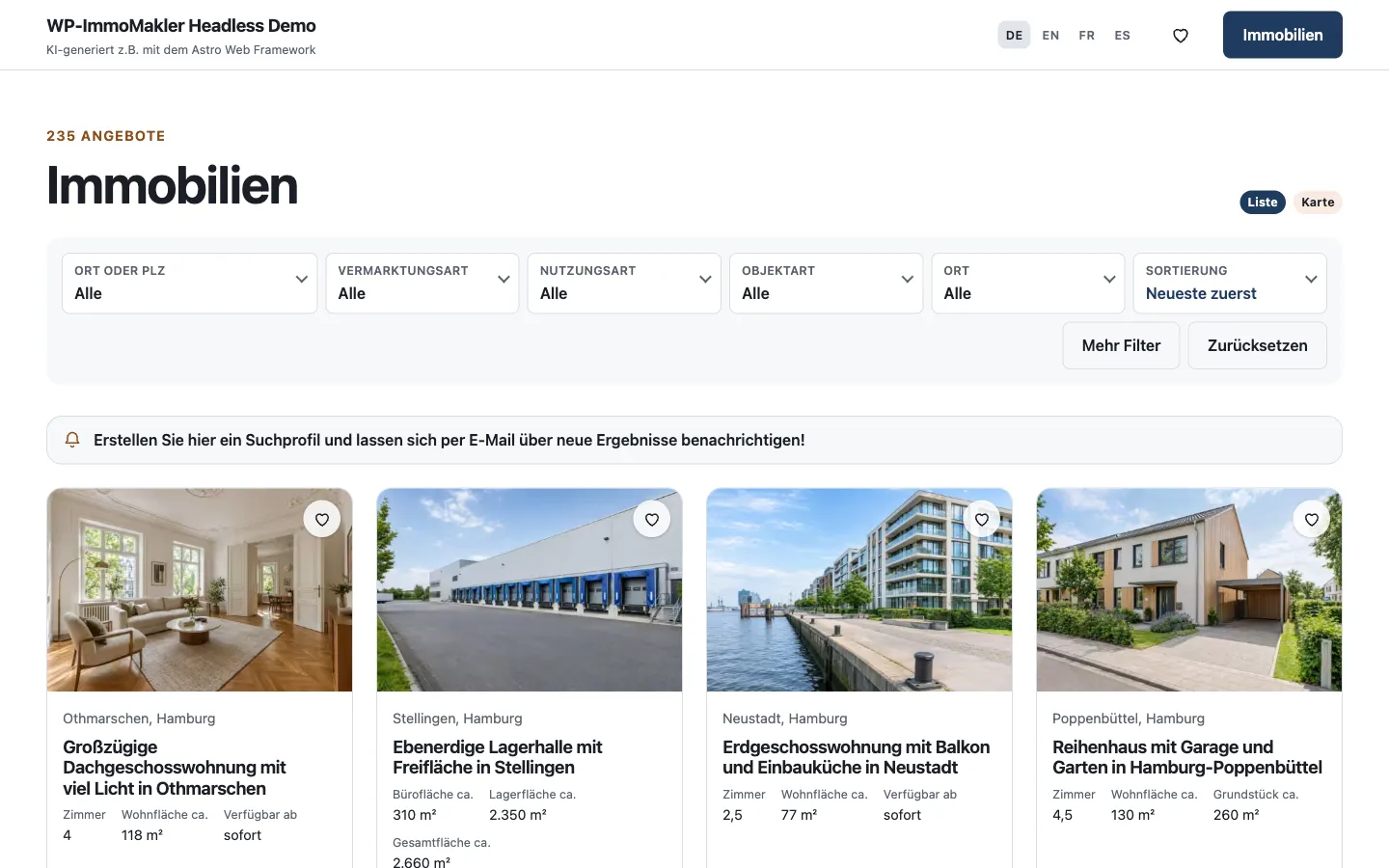
- a property list with the filters of your search form, sorting and a map view,
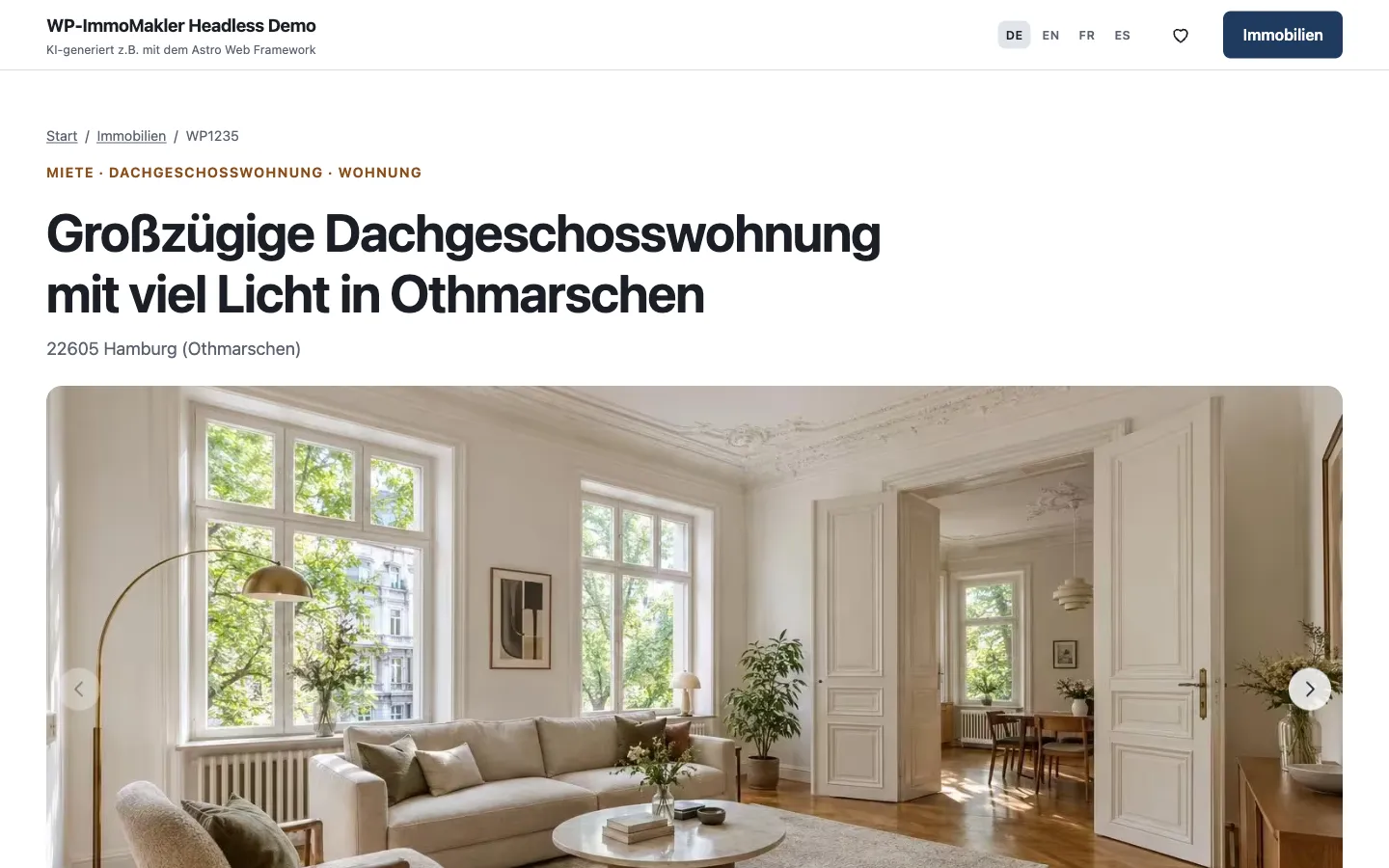
- a detail page for each property with image gallery, data fields, descriptions, contact person and contact form,
- a watchlist and the creation of property alerts,
- the languages of your website, in the demo German, English, French and Spanish,
- your branding from the headless settings: name, logo, colours, design template, fonts and corner rounding from the “Astro starter” section.
You can get the Astro starter on request through our contact form.
Creating a New Website
Section titled “Creating a New Website”-
Enable the interface
In the back end of your website (wp-admin) under WP-ImmoMakler → Integrations → Headless, enable the interface, see Setup.
-
Create the project
In your coding tool, open an empty project or the Astro starter.
-
Give the prompt
Replace
https://your-wordpress-address.comwith the address of your WordPress website andAstrowith the framework of your choice, or leave the choice to the coding tool:Create a website with Astro for my real estate agency: a property list, a detail page for each property and a contact form. The properties come from the WP-ImmoMakler property API, which is described here:https://your-wordpress-address.com/wp-json/immomakler-headless/v1/llms-full.txtRead this description completely first.- Take the name, logo, colours and menus from GET /site.- Generate the detail pages at build time or on the server, not only in the browser: one page per property from GET /properties/manifest and GET /properties/{object_number_normalized}, under the path from links.frontend_url. Never use post_id as an identifier.- The property list loads GET /search with fields=summary and the filters from site.search, so that the filters work without a new build.- Show the data fields with "label" and "value" in the order the API delivers them, images from media with srcset built from "sizes" and the alternative text from "alt", description texts from descriptions as HTML.- If geo.exact is false, show a radius on the map instead of a point.- Page title and meta description from seo, structured data from json_ld as <script type="application/ld+json">.- The contact form has the fields from site.forms.enquiry, fetches a token via GET /spam/token when it is displayed and submits to POST /enquiries. -
Publish
Publish the website with a provider of your choice, such as Cloudflare, Netlify, Vercel or your own web space, and enter its address in the headless settings under “Address of your front end”. If the website generates its pages at build time, set up the webhook for the build.
-
Match the addresses
Adjust “Path of a property” and “Path of the property list” in the headless settings to the addresses of your website, for example
/{archive_slug}/{object_number_normalized}/.